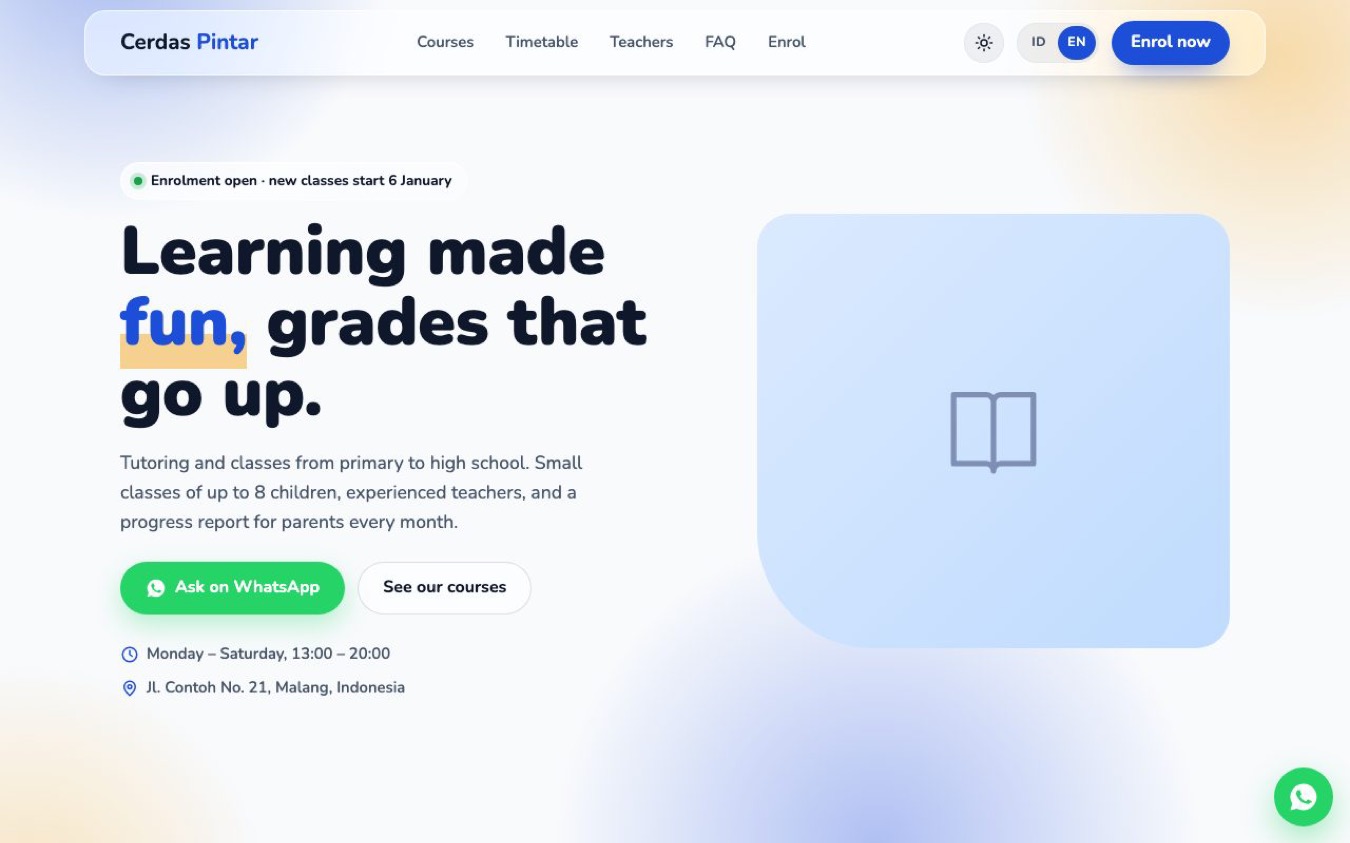
A bright, friendly website for tutoring centres, after-school classes, language schools and training courses. Parents see your courses, fees, timetable and teachers, then send an enrolment request in a few taps.
TRY IT BEFORE YOU BUY
- Live demo: https://upvire.com/templates/kursus/demo/?lang=en
- The full guide: https://upvire.com/templates/kursus/guide/
WHAT YOU GET (instant download, one ZIP file)
- index.html: the whole website in a single file (HTML and CSS)
- GUIDE.html: a step-by-step guide in plain English (PANDUAN.html is the same guide in Indonesian)
- LICENSE.txt
- An empty photo folder for your own images
NEW IN VERSION 2.0
- A free update for everyone who bought 1.x
- Separate pages: each menu item opens its own page, with its own link and a smooth transition. One line turns it back into one long page
- A light glass look: frosted-glass cards, a softly moving colour background and modern animations
- Light and dark theme, with a sun/moon switch that remembers each visitor's choice, or follows their device
- Still one index.html file, with the guide updated for every new setting
FEATURES
- Enrolment badge: "Enrolment open · new classes start 6 January" or "Enrolment closed", changed with one line
- 4 course cards with level, what is covered, a monthly fee and an Enrol button
- Timetable table, 4 teacher profiles and 4 "why us" cards
- Numbers strip (class size, teachers, former students, years running)
- 3 testimonials, 4 enrolment steps and 5 FAQs
- Enrolment form: student, grade, course, parent and notes, sent to your WhatsApp as one message
- Address, opening hours and a Google Maps directions button
- English and Indonesian built in, with an EN/ID switch. Turn the switch off for an English-only site
- 4 colour presets (blue, green, orange, purple), or any colour you like
- Responsive on phones, tablets and desktops, with a menu for phones
SECTIONS
Hero · numbers · courses · why us · timetable · teachers · testimonials · how to enrol · FAQ · enrolment form and location · footer
EASY TO EDIT
- No build tools, no plugins, no database
- Change the text, photos, colours and settings by following the guide
- Publish on Netlify (free), GitHub Pages or any web host
GOOD TO KNOW
- Photos are not included: the boxes are placeholders for your own classroom and teacher photos
- The school name, courses, fees, teachers and testimonials are examples to replace. Use only real testimonials
- The form opens WhatsApp with the message filled in. It does not store enrolments or take payments
- WhatsApp numbers must include the country code (the guide explains how)
- Licence: 1 school or business, or 1 client project, per purchase. No reselling or sharing as a template
- Digital file, nothing is shipped
WANT US TO SET IT UP?
- We can edit the template to your brief and put it online on Netlify's free plan, in your own account. 2 rounds of revisions, done in 2–3 working days
- Sold separately ($15): https://upvire.gumroad.com/l/website-setup-service
Designed by UpVire.
Where to buy
The same file in every store. Pick the one that suits the way you pay.
Rupiah · Indonesia Lynk.id Pay with QRIS, e-wallet or bank transfer. The file is emailed to you. Buy this on Lynk.id → Worldwide · card or PayPal Etsy Pay through Etsy by card or PayPal. Download from your Etsy account. Buy this on Etsy → Worldwide · US dollars Gumroad Pay by card or PayPal, priced in US dollars. Download right away. Buy this on Gumroad →